
Meeting Room Schedule Displays & Booking
See what's free. Book it in seconds
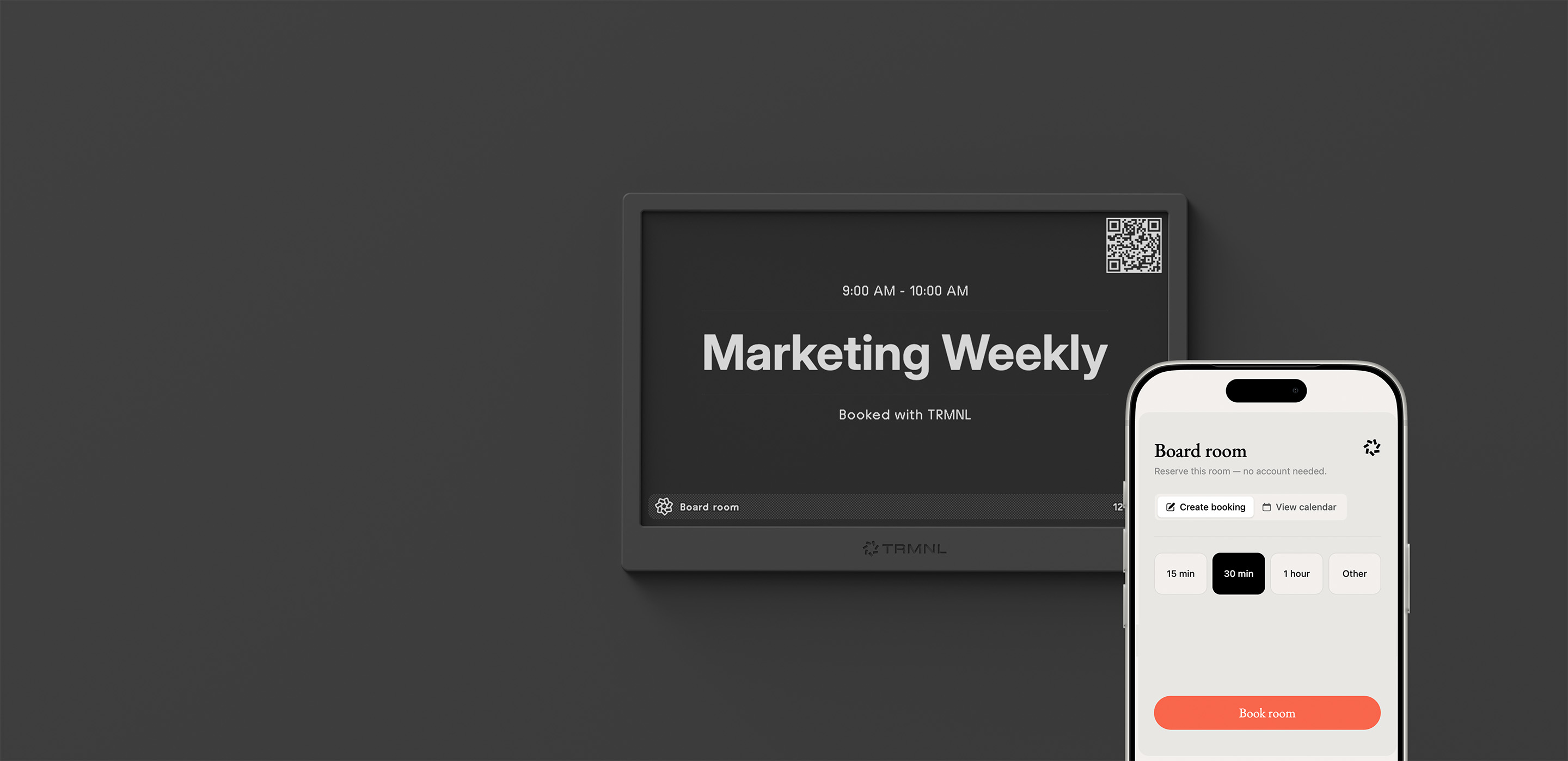
TRMNL turns your Google Workspace or Microsoft 365 calendars into quiet, wireless ePaper signage for conference rooms, meeting rooms and office hallways. Scan a QR code for instant walk-up room reservations, no app or account required.
Here's the thing
Your calendar is the source of truth.
It knows which room is free, who has the van, and whether that desk by the window is taken. But it's all in Google or Outlook, behind a login nobody opens on the way down the hall.
So people knock, peek through the glass, or book a room and never show up. Booking puts the schedule on an ePaper screen you can read from across the room.
Works with
 Google Account
Google Workspace
Google Account
Google Workspace
 Microsoft Outlook 365
Microsoft Exchange
Microsoft Outlook 365
Microsoft Exchange
 iCal feeds
How it works
Get up and running in minutes.
Three steps, no sales call.
-
1
Connect your calendars
Google Workspace, Microsoft 365 or any iCal feed. Conference rooms and meeting spaces come over with their building, floor and seat count in one click. Exclude private executive calendars.
-
2
Customize your room displays
Add your company logo, rename meeting rooms, choose 12- or 24-hour scheduling and enable light or dark mode. Set rules for how far ahead a resource can be booked.
-
3
Deploy to your building
Mount a TRMNL display outside doors or group multiple conference rooms into a collection dashboard for common or high traffic areas.
"I think it took me 10 minutes to set everything up without looking at the docs. It was super easy and very straightforward. Collections made sense, and are awesome."
Meeting room displays
Spot availability from across the hall.
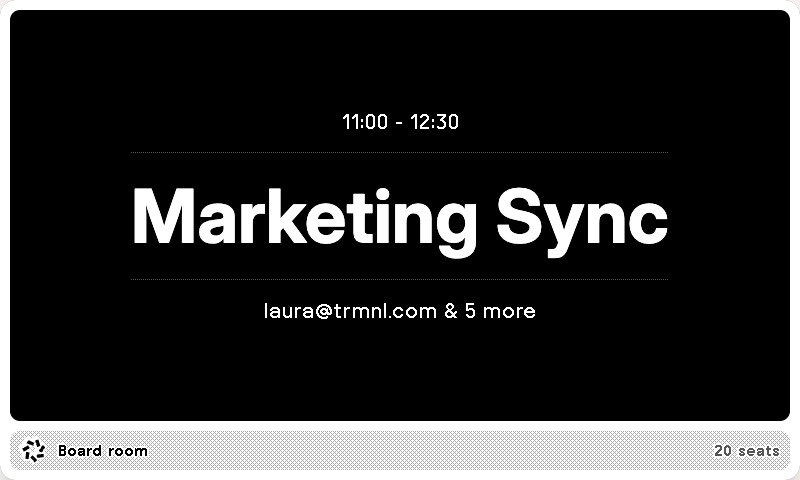
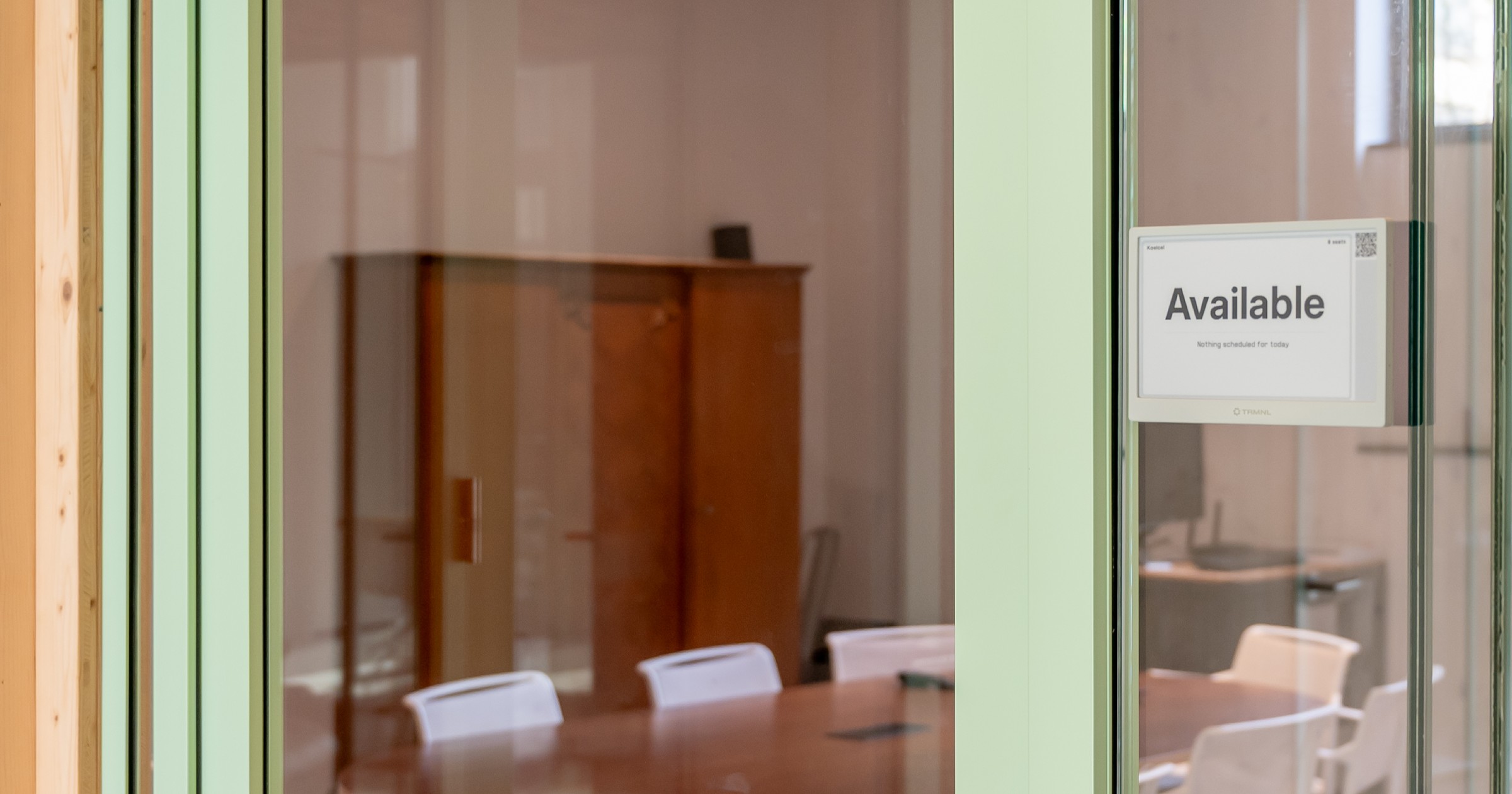
Booking makes things simple: see the current meeting, when it ends, who booked it and attendance details, without opening a phone. Our battery-friendly ePaper screens update every few minutes to keep office room booking accurate.
Booking on the spot
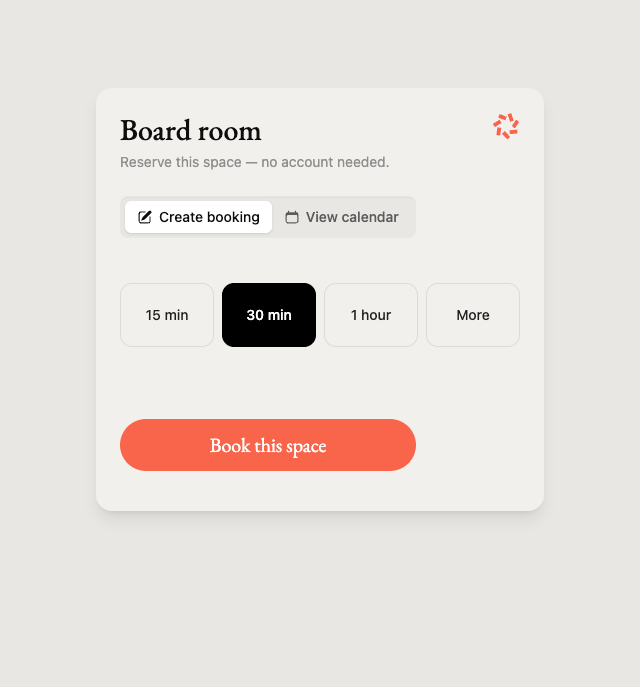
Scan to instantly reserve from any phone.
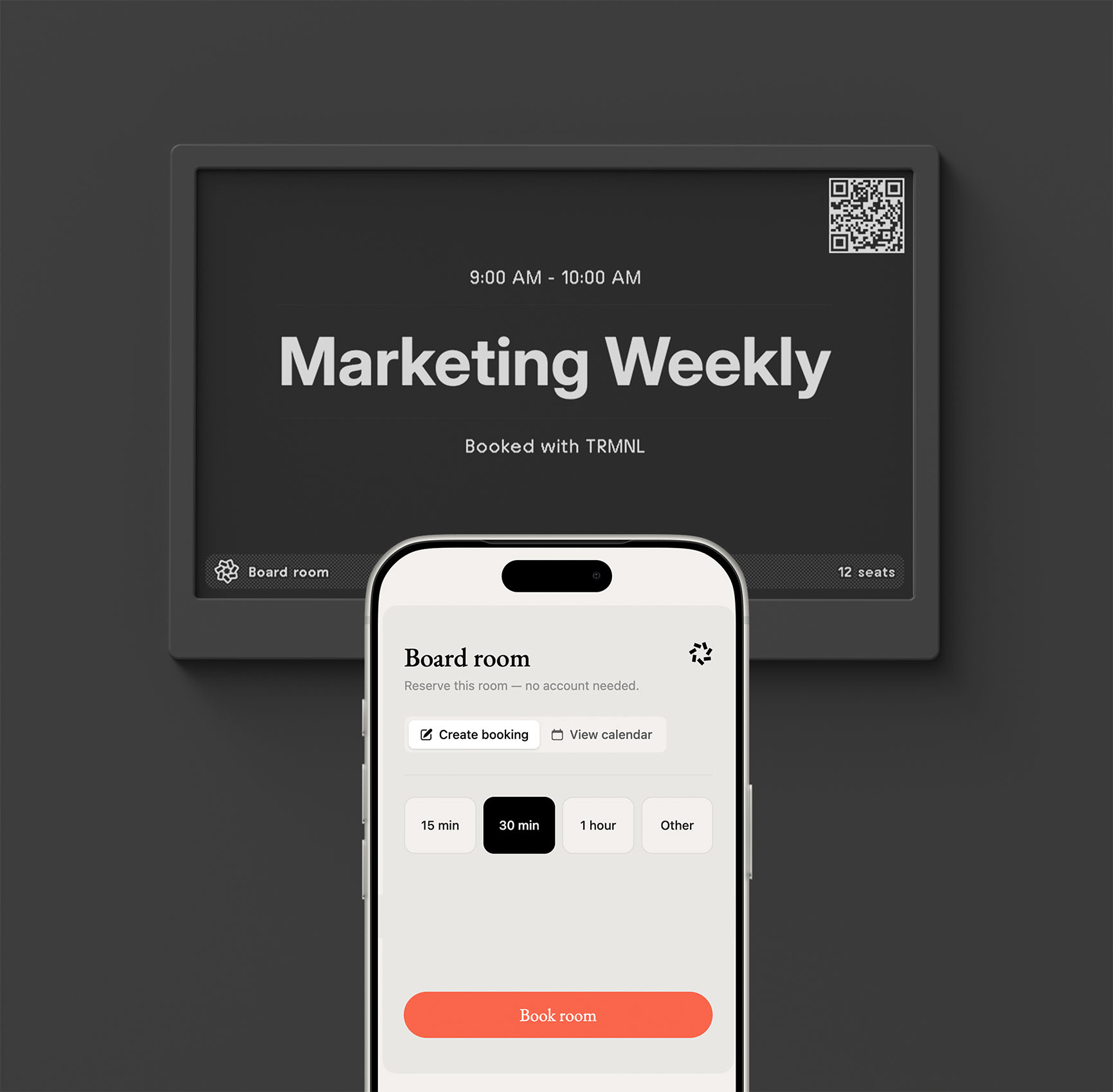
Scan the on-screen QR code, pick a time slot or future date, and the room is yours. Zero friction, no logins, and no apps to download. Bookings sync instantly with Google or Microsoft calendars to prevent double bookings.
Office hallway display
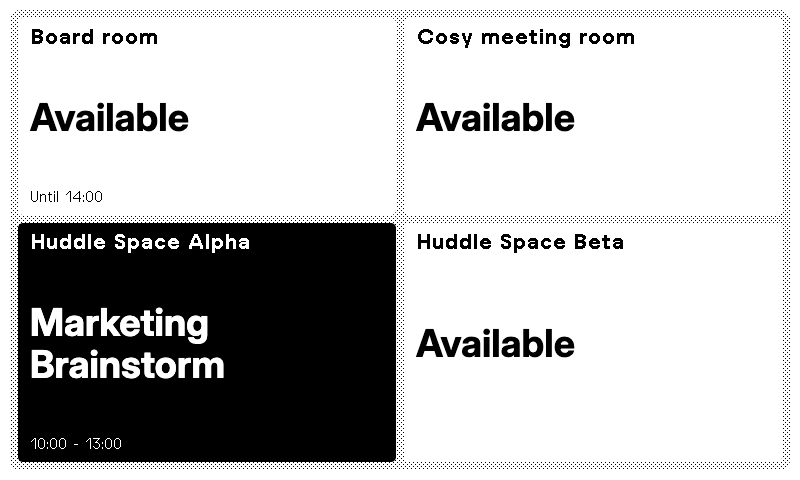
Multiple room schedules on one screen.
Show every meeting room, conference room, hot desk or vehicle on a single display. Group resources into collections of up to 9 in a grid or 10 in a list. One QR code lets visitors choose which space to reserve.
Any screen with a browser
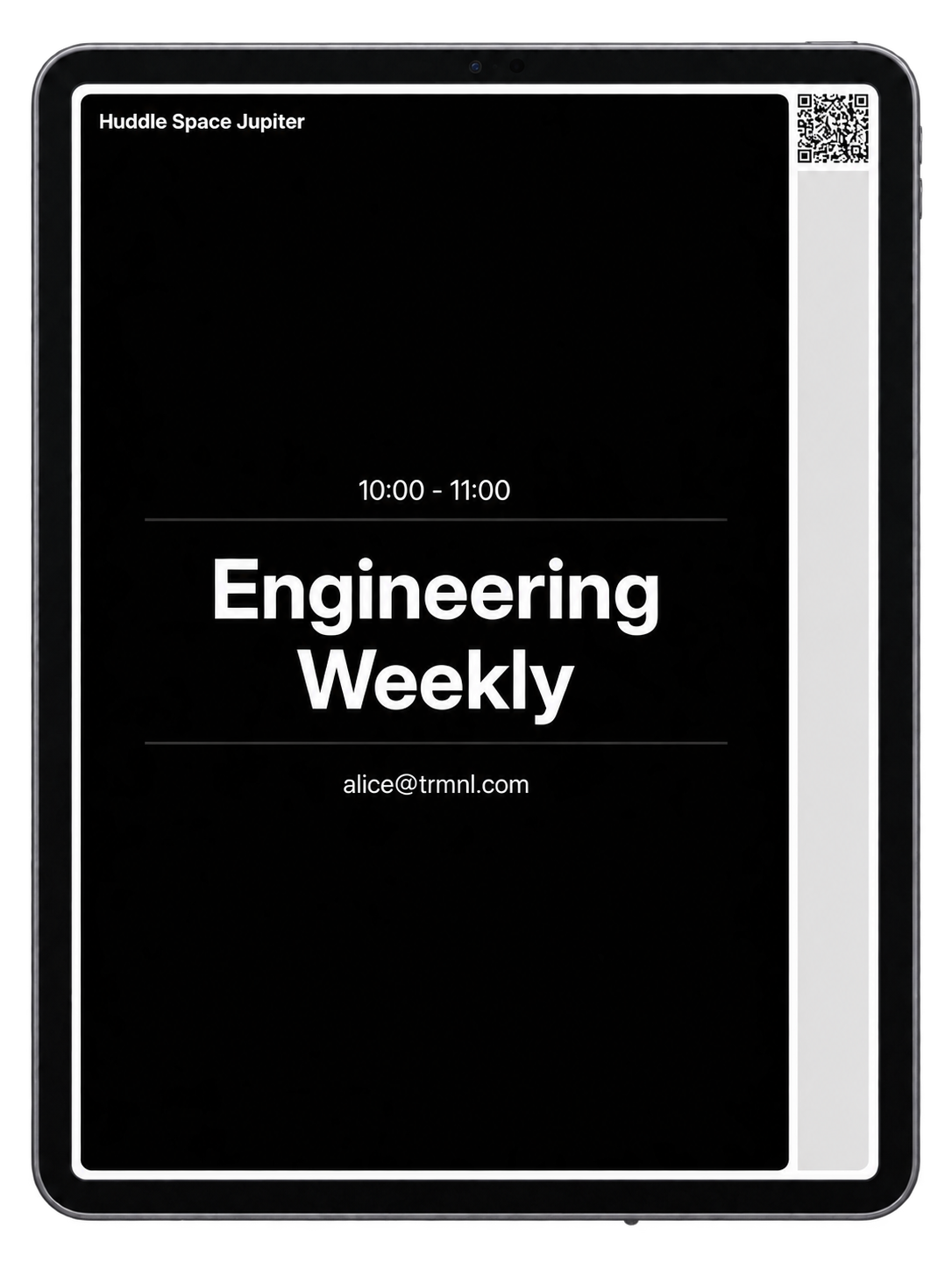
Already have a TV or tablet? Use it too.
Open any room or collection at its own private URL on an LCD screen, TV or tablet. You're only billed once for the room, not the number of displays.
Conference room management
Calm ePaper built for modern workplace displays.
Traditional conference room displays rely on glowing tablets with tangled power cables, constant charging and high subscription fees. TRMNL offers a simple, low-power solution designed for modern office management systems.
Wireless hallway mounting
Mount directly on glass walls, conference room doors or drywall without drilling or PoE cabling. The long battery life keeps signage visible for months between charges.
Zero glare, 180° visibility
Crisp ePaper screens read like printed signs from across the hall under bright office fluorescent lights or direct sunlight, with zero distracting blue light.
Stop ghost meetings
Free up empty rooms with easy check-ins and on-the-spot mobile reservations, ensuring your meeting room booking system stays in sync with real-world room usage.
Case study
From a DIY hack to a managed room display.
Code Orange, a software studio in Amsterdam, swapped a homebrew Raspberry Pi sign for Booking. Their Google Workspace rooms stay the source of truth, and walk-up QR booking covers the guests who can't see their calendar.
"TRMNL is the right balance between open enough to poke around and managed externally for us."
Code Orange
Amsterdam, NL
Amsterdam software studio Code Orange needed meeting-room signs that looked professional, without maintaining new infrastructure.
5
devices deployed
Pricing
$8/month/resource. No contracts or hidden charges.
We're not the first to sell room signs. But TRMNL sets up in minutes, doesn't require a signature, and you pay for each bookable resource on a screen, not for each device. A room on three screens is still one room.
$8 a month, or $80 a year. Every plan starts with a 14-day free trial.
Need screens? TRMNL X and OG are a one-time purchase, with volume discounts for teams. And the list of supported third-party devices keeps growing.
Bookable resources
Meeting rooms, huddle spots, vehicles, parking spaces, equipment, services. If you can organize it with a calendar, you can book & display it with TRMNL.
E-ink displays, tablets, TVs
UnlimitedBilling
Duration
5 × $80 a year × 1 year
Saves $80 against monthly billing
Frequently asked questions
Do visitors need a TRMNL account to book?
No. They scan the QR code on the screen, pick a time and book. The booking goes straight into your calendar.
Which calendars does it work with?
Google (personal accounts and Workspace), Microsoft (Outlook, Exchange Online rooms and Microsoft Places workspaces) and any iCal feed.
What if someone books the same room in Outlook at the same time?
We check your calendar again right before we book, and turn down a booking that overlaps. Your calendar stays the source of truth.
Can someone book from a photo of the QR code?
Turn on QR Code Security and the booking link changes every day, so yesterday's photo stops working. Printed codes stop working too, so leave it off if you rely on them.
How often does the screen update?
We redraw each room every five minutes, and the device picks it up at its own refresh rate. Faster refresh uses more battery, so a screen next to a busy room is happiest plugged in.
Can I show the schedule on a TV or tablet?
Yes. Any calendar or collection can also open at its own private URL in a browser, on an LCD screen, TV or tablet. It needs no login and refreshes itself. A room on both a TRMNL and a URL is billed once.
How does an ePaper meeting room schedule display improve conference room management?
ePaper room displays show live availability, current meeting titles and organizer details without glare or glowing blue light in hallways. Because they run for months on battery or over USB-C, they mount on glass walls and doors without running PoE cables or cutting drywall.
Can TRMNL serve as an office hallway display for multiple conference rooms?
Yes. You can group rooms, desks and workspaces into collections: up to 9 in a grid or 10 in a list on a single screen. Hallway and reception displays give a quick overview of which spaces are free across the entire floor.
How does the conference room reservation system handle walk-up bookings?
Anyone can scan the on-screen QR code with their phone camera to reserve 15, 30 or 60 minutes instantly. No app installation or TRMNL login is required. The reservation syncs directly with your Google Workspace or Microsoft 365 calendar in real time to prevent double-bookings.
How does billing work?
$8 a month or $80 a year for each bookable resource on a screen, after a 14-day free trial. A room on three screens counts once. No contract.
Can I try it without a TRMNL?
Yes. Create a free virtual device, install Booking and see your rooms on screen before you buy anything.
Try it on your busiest room.
Install Booking, connect a calendar and put one room on a screen.
The first 14 days are free.
No TRMNL yet? Start with a free virtual device.
